Every time I roll out Microsoft Copilot in an organisation, I watch the same scene play out in the HR department.
The HR Manager gets access. Opens Copilot. Stares at the blank box. Types something generic like “write a job description”. Gets a mediocre output. Closes the tab. Never opens it again.
The problem is never the tool. It’s the prompts.
After nearly 20 years as a CIO deploying Microsoft 365 across organisations in Switzerland, I’ve seen what separates the teams that genuinely save hours with Copilot from those who abandon it after day three. It comes down to knowing exactly what to ask — and how to ask it.
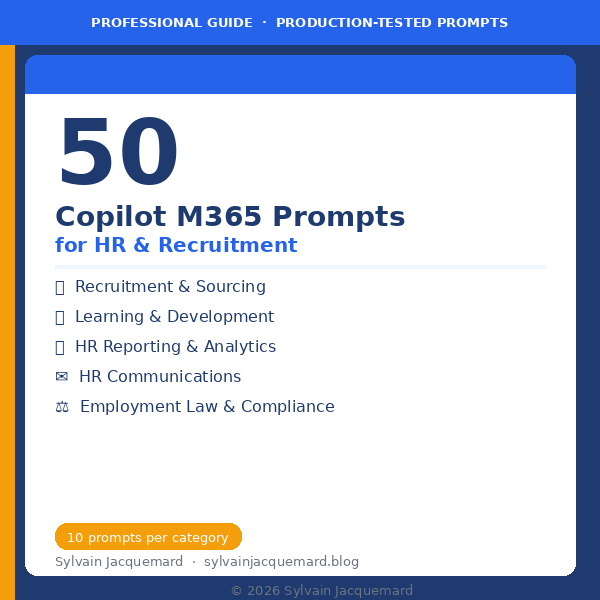
This article gives you 5 free Copilot prompts for HR, tested in real deployments. If you want all 50 — organised across Recruitment, L&D, HR Reporting, Communications, and Employment Law — they’re available in my full guide.
Why Copilot M365 is a game-changer for HR — when used correctly
HR professionals spend a disproportionate amount of time on high-volume, repetitive writing tasks: job postings, interview guides, training plans, internal communications, compliance documentation. These are exactly the tasks Copilot handles well — if you give it the right input.
The key insight from my field experience: Copilot is not a search engine. It’s a thinking partner. The more context and structure you give it, the better the output. A vague prompt gets a vague result. A specific, well-structured prompt gets something you can actually use.
5 free Copilot M365 prompts for HR — ready to copy-paste
Each prompt below uses [brackets] for variables you replace with your own context. They work in Copilot Chat, Word, Outlook, or Teams — wherever you’re working.
📋 Prompt #1 — Write a compelling job posting
“Write a compelling job posting for a [Job Title] position at [Company Name], a [brief company description]. The role is [on-site / hybrid / remote] based in [Location]. Key responsibilities include [list 3-5 responsibilities]. Required qualifications: [list key requirements]. Tone: professional but human. Include a short paragraph about our culture and why someone would want to join us.”
💡 CIO tip: Add “Avoid generic phrases like ‘fast-paced environment’ or ‘team player’” to push Copilot toward more authentic, specific language.
🎓 Prompt #2 — Build a 90-day onboarding plan
“Create a structured 90-day onboarding plan for a new [Job Title] joining [Department] at [Company Name]. Organise it in three phases: Days 1-30 (discover), Days 31-60 (contribute), Days 61-90 (deliver). For each phase, include: key objectives, people to meet, tools to learn, and one measurable milestone. Format as a table.”
💡 CIO tip: Ask Copilot to then generate a checklist version of the same plan — useful for the manager to track progress week by week.
📊 Prompt #3 — Analyse turnover and write an HR report
“Based on the following data: [paste your turnover figures, department breakdown, tenure at departure], write an executive HR report for [Quarter/Year]. Include: a summary of key findings, the top 3 risk areas, 3 actionable recommendations to reduce turnover, and a suggested format for a management dashboard. Tone: factual, concise, suitable for C-suite.”
💡 CIO tip: This works especially well in Copilot for Word or Excel when you paste in actual data. The output quality jumps significantly when Copilot has real numbers to work with.
✉️ Prompt #4 — Draft a sensitive HR communication
“Draft a company-wide communication to announce [change/restructuring/policy update] at [Company Name]. The message comes from [HR Director / CEO]. Key points to include: [list 3-5 key messages]. Tone: transparent, empathetic, and reassuring — avoid corporate jargon. The communication should acknowledge the impact on employees and include a clear next step (FAQ / town hall / manager conversations). Length: 250-350 words.”
💡 CIO tip: Always follow up with “Now rewrite the same message in a more direct tone for a management briefing” — you’ll often need both versions.
⚖️ Prompt #5 — Prepare a structured performance review
“Help me prepare for a performance review with [Employee Name / ‘a team member’], a [Job Title] who has been with us for [X months/years]. Their key achievements this period: [list 2-3]. Areas where they struggled: [list 1-2]. My goal for this review: [recognition / development plan / difficult conversation]. Generate: 5 opening questions to make the conversation productive, 3 SMART development objectives, and a suggested structure for the 45-minute meeting.”
💡 CIO tip: Use this in Copilot Chat the morning of the review. It takes 3 minutes and you’ll walk in significantly better prepared than most managers.
Want all 50 prompts — organised by HR function?
📦 50 Copilot M365 Prompts for HR & Recruitment
The complete guide includes 50 production-tested prompts across 5 HR categories:
- 📋 Recruitment & Sourcing — Job postings, interview questions, candidate scoring, LinkedIn sourcing, onboarding (10 prompts)
- 🎓 Learning & Development — Training plans, SMART objectives, performance reviews, succession plans (10 prompts)
- 📊 HR Reporting & Analytics — Turnover reports, dashboards, gender equality reporting (10 prompts)
- ✉️ HR Communications — Internal memos, employee FAQs, newsletters, recognition messages (10 prompts)
- ⚖️ Employment Law & Compliance — Disciplinary meetings, remote work agreements, GDPR compliance (10 prompts)
✅ Every prompt is ready to copy-paste · ✅ Variables in [brackets] · ✅ 1 practical tip per prompt · ✅ Instant PDF download
Before you go: are you ready to pitch Copilot to your leadership?
If you’re an HR leader — or an IT manager rolling out Copilot for HR teams — you’ll eventually need to justify the investment to your management. I built a free checklist specifically for that conversation.
🆓 Free: Copilot M365 Readiness Checklist
10 questions to answer before walking into that boardroom — covering business case, risk, governance, adoption, and technical readiness. From a CIO who’s been on both sides of that conversation.
What’s coming next
The next prompt pack in this series covers Finance & Accounting — budgeting, forecasting, financial reporting, and compliance documentation. If you work in Finance or manage a Finance team, subscribe to be notified when it drops.
And if you have a specific Copilot use case you’d like me to cover — whether for HR or another function — drop it in the comments. I read every one.
— Sylvain Jacquemard
CIO & Microsoft 365 Expert · sylvainjacquemard.blog